The Differences Between IaaS, PaaS, and SaaS: Understanding to Apply Effectively
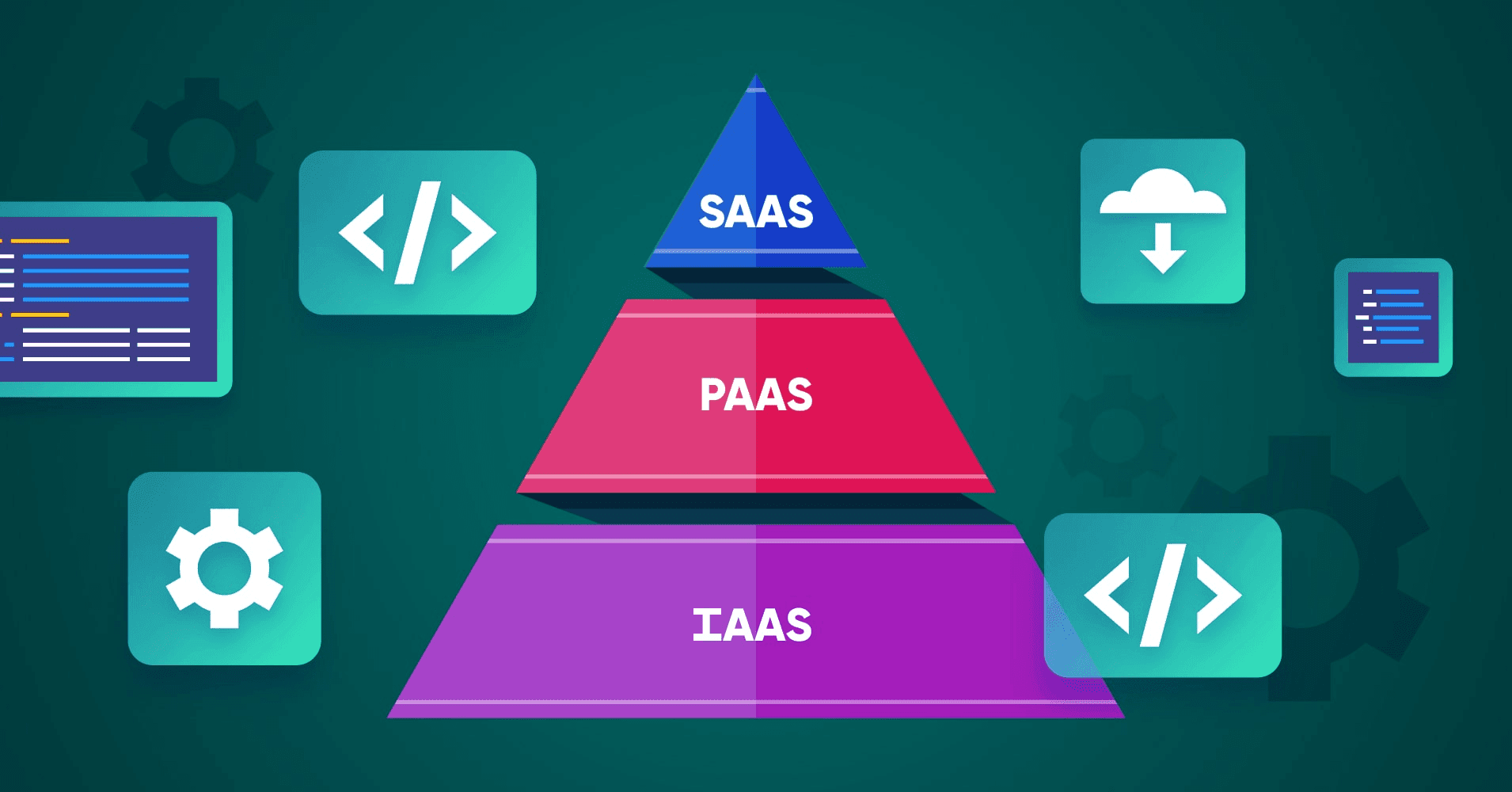
In the digital age, cloud service models like IaaS, PaaS, and SaaS are no longer unfamiliar to businesses. These three popular cloud computing services offer distinct benefits and applications. To fully harness their potential, it is essential to understand the differences between them.
This article will guide you through a detailed exploration of IaaS, PaaS, and SaaS, helping you choose the best model for your business.

What is IaaS?
IaaS (Infrastructure as a Service) is a model that provides IT infrastructure via the Internet. Instead of investing in physical hardware, businesses can rent servers, storage, and networking resources from service providers.
Key Features of IaaS:
- Full Control: Users have complete control over operating systems, applications, and deployed services.
- Scalability: Easily scale resources up or down based on needs.
- Flexible Payment: Pay only for the resources you use.
Examples of IaaS:
- Amazon Web Services (AWS)
- Microsoft Azure
- Google Compute Engine
What is PaaS?

PaaS (Platform as a Service) offers integrated development environments where developers can build, deploy, and manage applications without worrying about the underlying infrastructure.
Key Features of PaaS:
- Comprehensive Development Tools: These include libraries, frameworks, and integrated environments for seamless application development.
- Accelerated Development: Focus on building applications rather than managing infrastructure.
- Collaboration-Friendly: Unified platform for development teams to work together without data fragmentation.
Examples of PaaS:
- Google App Engine
- AWS Lambda
- IBM Cloud
- DXUP
What is SaaS?

SaaS (Software as a Service) refers to software delivery models accessible via the Internet. Users don’t need to install software; instead, they access it through web browsers or apps.
Key Features of SaaS:
- Ease of Use: Ready-to-use applications without complex installations.
- Cost-Effective: No hardware investments or system maintenance required.
- Automatic Updates: Providers handle upgrades and maintenance.
Examples of SaaS:
- Google Workspace (Gmail, Google Drive, Google Docs)
- Microsoft 365
- Salesforce
Comparison of IaaS, PaaS, and SaaS


Advantages and Disadvantages of Each Model
1. Advantages and Disadvantages of IaaS
Advantages:
- Flexible resource allocation based on demand.
- Cost-effective, paying only for used resources.
- Variety of options for deploying resources like virtual machines, storage, and networks.
- Ideal for businesses needing customized infrastructure and full system control.
Disadvantages:
- Potential data security risks.
- Service and network delays may occasionally occur.
When to Use IaaS: Choose IaaS when you need complete control over infrastructure and want to optimize initial investment costs. It’s also ideal for maintaining system flexibility and scalability.
2. Advantages and Disadvantages of PaaS
Advantages:
- Enables application development without concerns about infrastructure or operating systems.
- Optimized development process with built-in tools.
- Affordable, easy to use, and flexible.
- Boosts creativity by reducing time spent on maintenance and infrastructure management.
Disadvantages:
- Risk of data breaches.
- Possible data mismatch errors during integration.
When to Use PaaS: PaaS is ideal for application development projects requiring time and cost efficiency. It’s a great choice when focusing on product development without technical distractions.
3. Advantages and Disadvantages of SaaS

Advantages:
- No software installation or hardware purchases, reducing ownership costs.
- Easy access via web browsers or pre-designed apps.
- Fast deployment times.
- Providers handle maintenance and updates.
Disadvantages:
- Limited customization for specific business needs.
- Potential data security concerns.
When to Use SaaS: SaaS is an excellent solution for businesses needing quick access to tools like management systems, email, or CRM at low costs with high convenience. It’s especially suited for organizations without robust technical teams.